
 Coming soon to iPhone & Android
Minecraft servers, in your pocket.
Find your next server, vote every day without opening a browser, keep your favorite on your home screen, and know the moment your own server goes down.
Launching soon on the App Store and Google Play. Free to download.
One MCRank, everywhere you play
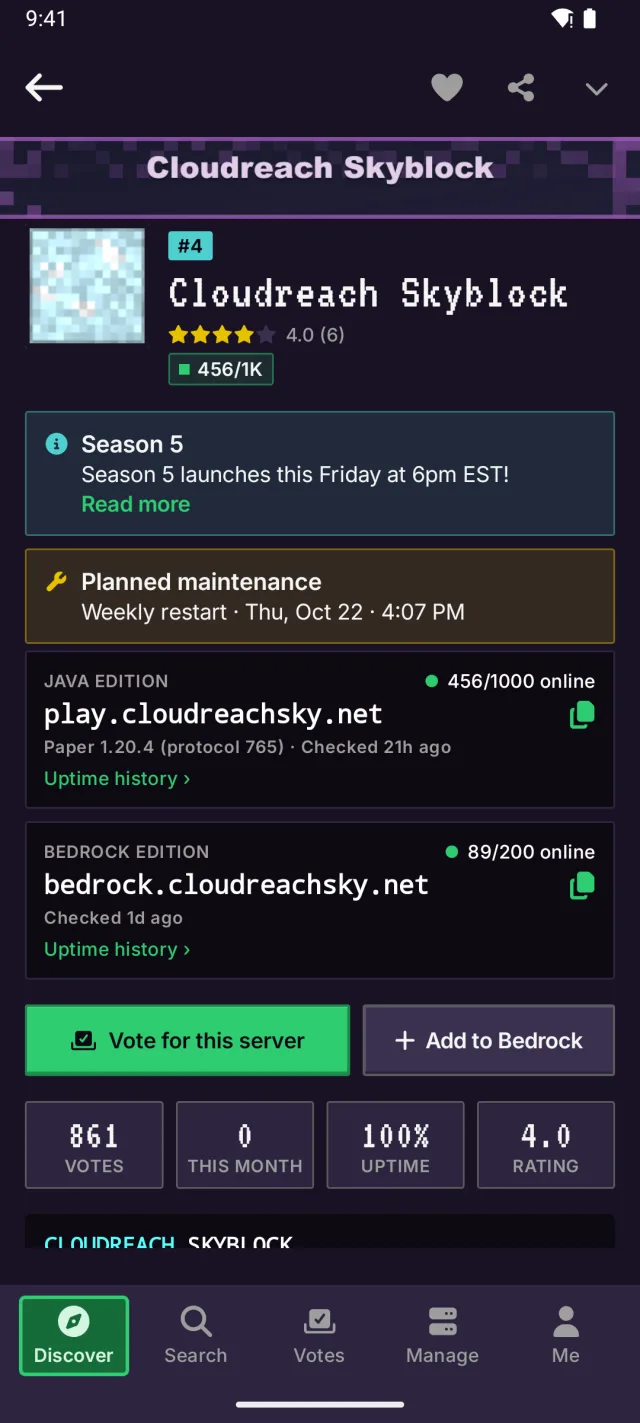
Your account, favorites and votes are the same in the app and on mcrank.com.
- iPhone & iPadiOS 16 or later
- AndroidPhones & tablets, Android 8.0+
- Home screen widgetsOn iPhone and Android
- The webOne account with mcrank.com
Discover
Find your next server.
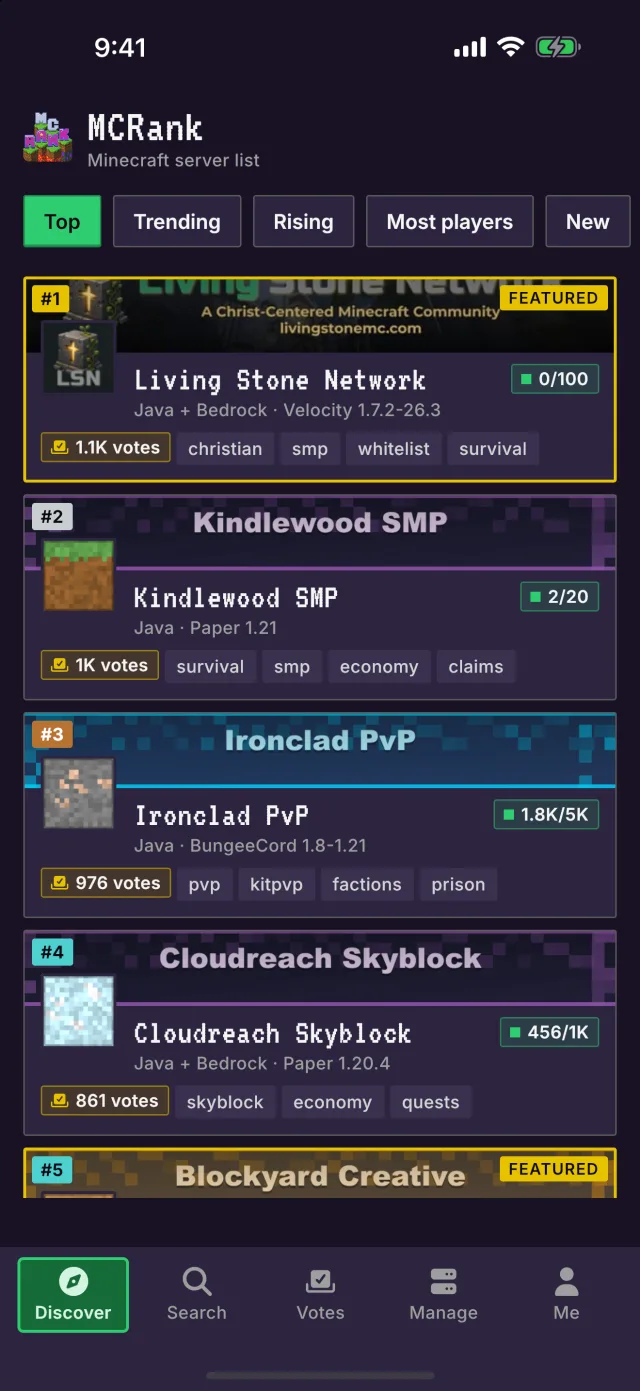
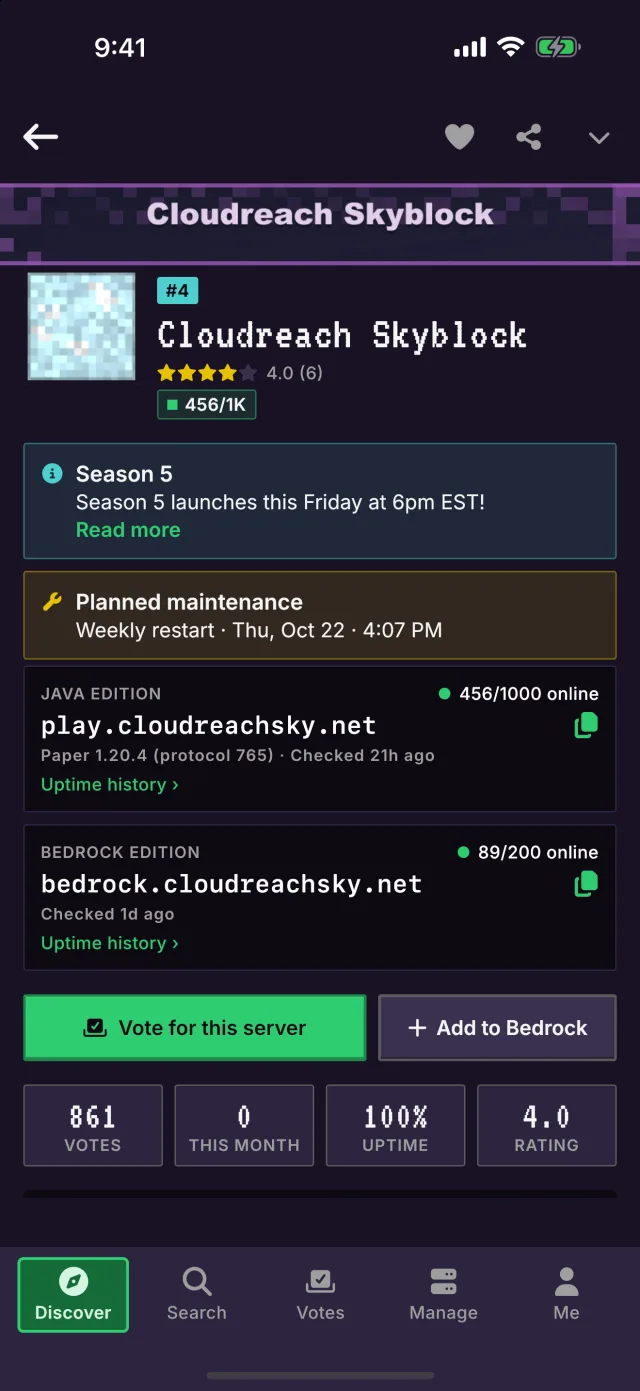
The same rankings as mcrank.com, made for your phone: top, trending, rising and brand-new servers with live player counts. Every server page has the address to copy, uptime, reviews, events and updates.
- Live players and status for every server
- Search with Java, Bedrock, version and tag filters
- Copy the address or add it to Bedrock in one tap
Vote
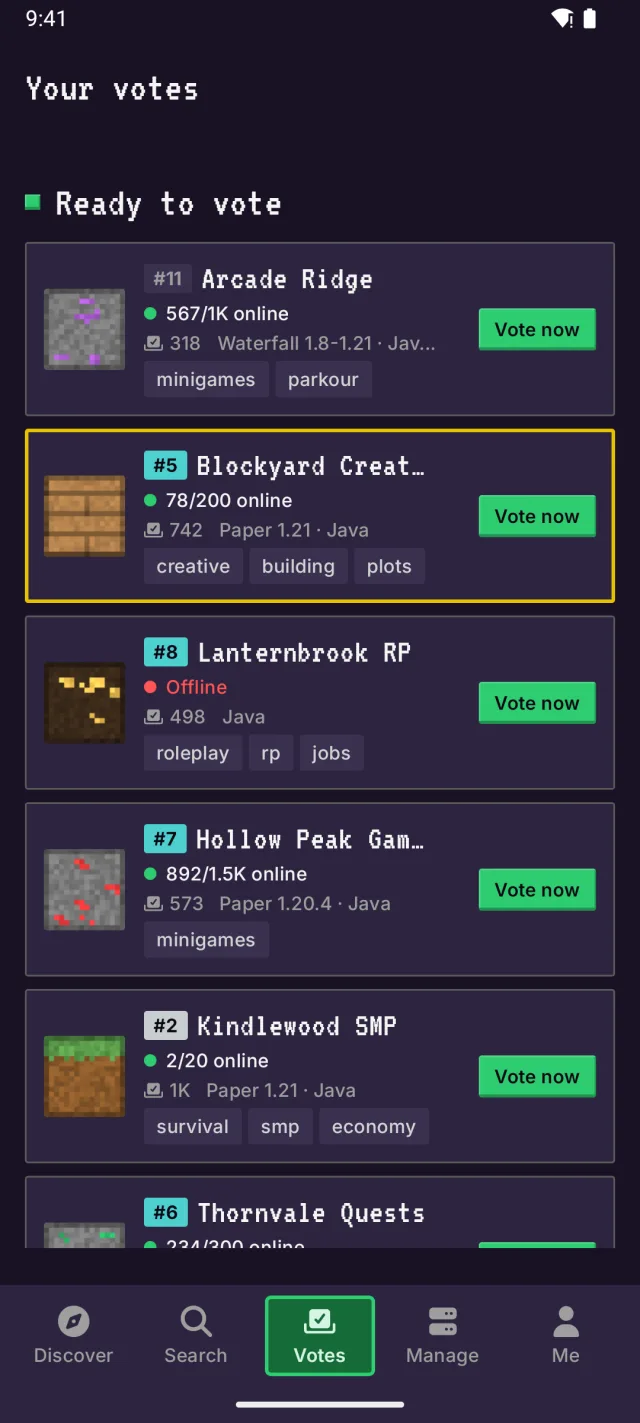
Vote every day, from anywhere.
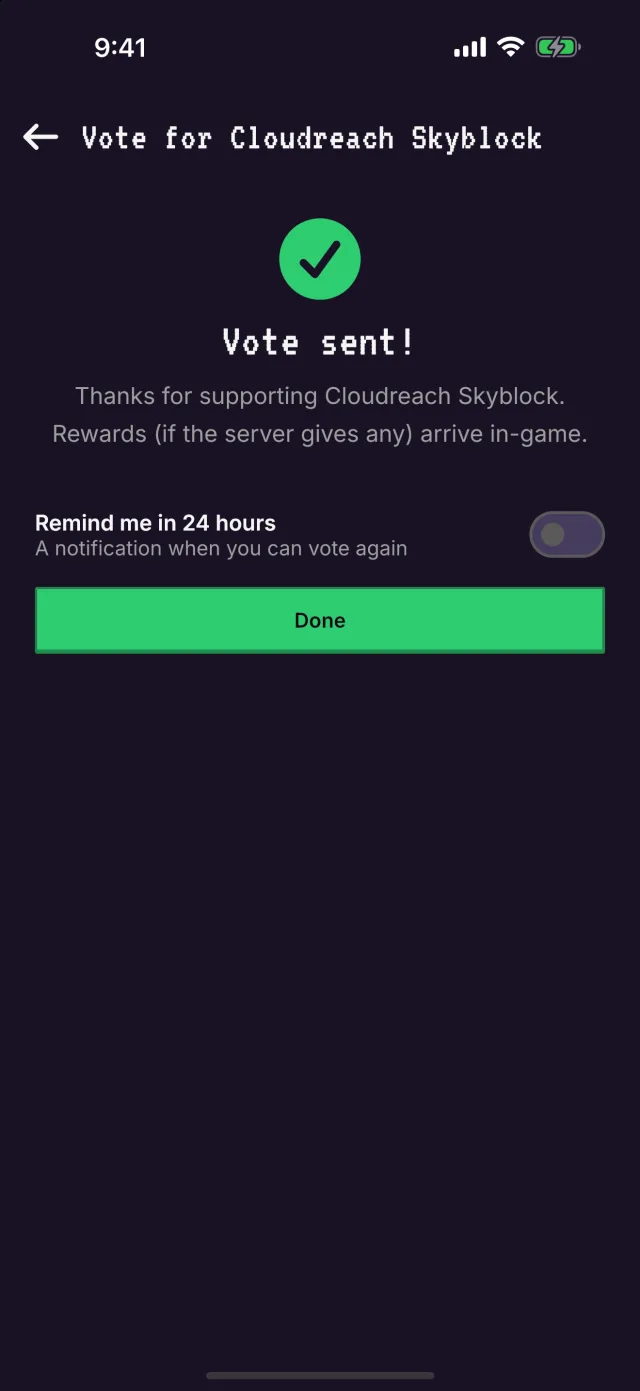
Voting takes a couple of taps: enter your Minecraft username once and the app remembers it. Your vote goes straight to the server, so your rewards are waiting in-game.
- A reminder when you can vote again
- All your servers and their countdowns in one place
- The same vote as on the site, rewards included
For server owners
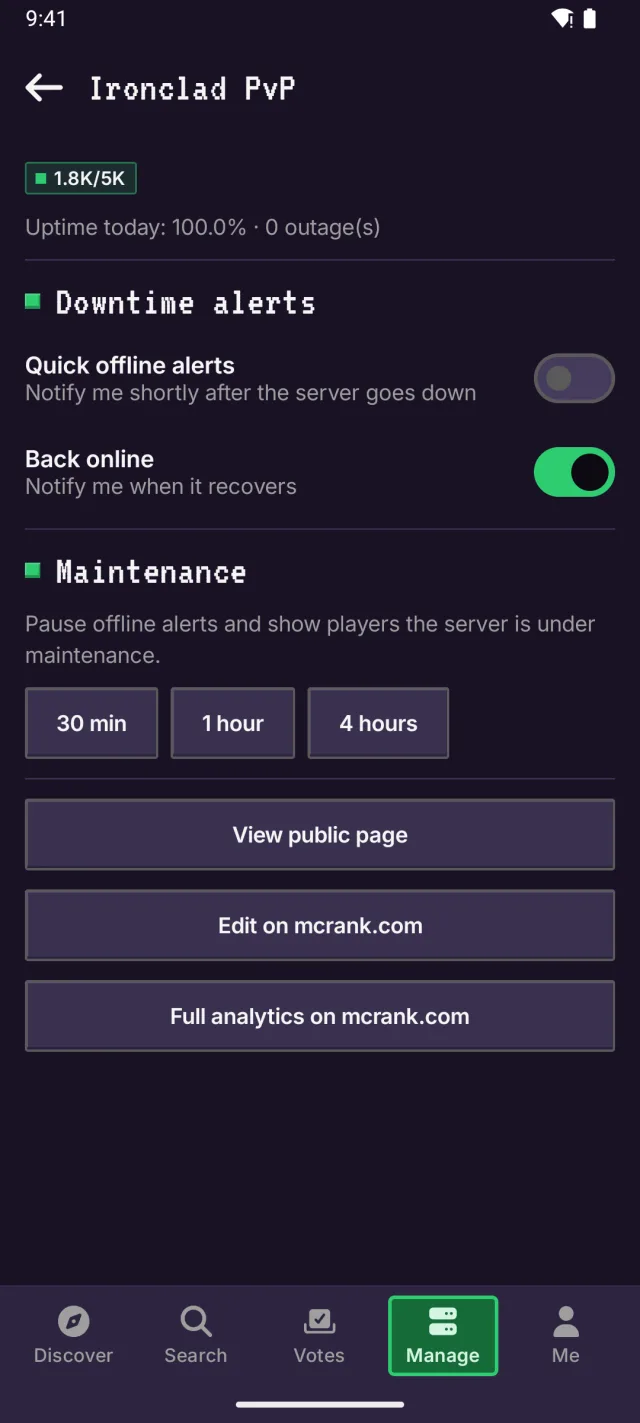
Know the moment your server goes down.
The Manage tab shows each of your servers at a glance and sends an alert the moment one goes offline, and another when it's back. Restarting on purpose? Pause the alerts for 30 minutes, an hour or longer.
- Downtime and back-online alerts
- Players, uptime and votes for each server
- No ads for server owners
Home screen widgets
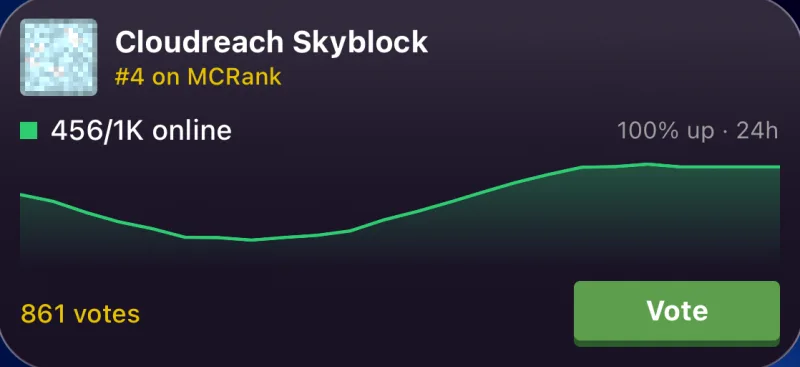
Your server, on your home screen.
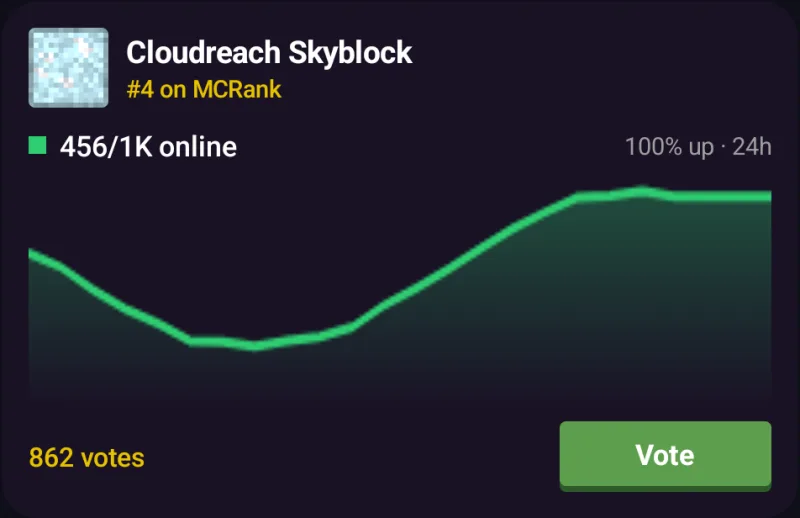
Pick any server and keep an eye on it without opening the app: who’s online, its rank, uptime and a graph of the last 24 hours. Tap Vote and you’re straight on the vote screen.
- Small and medium sizes, on iPhone and Android
- Players, rank, uptime and votes, kept up to date
- A Vote button that goes straight to voting
And there’s more
Notifications that matter
Vote reminders, new events from your servers, event reminders, and owner alerts. You pick which.
Favorites, synced
Favorite a server in the app or on mcrank.com and it’s in both places.
Reviews and photos
Rate the servers you play on and add screenshots to their galleries.
Add to Bedrock
On a phone with Minecraft: Bedrock Edition, add any server to your list in one tap.
Quick sign-in
Sign in with Google, Discord or email (or Apple, on iPhone and iPad), or just browse.
Light and dark
Night mode like the site, or follow your phone’s setting.
Every filter
Java or Bedrock, version, country, tags and online-only, sorted by rank, players or votes.
Free
Free to download and use. The app is supported by ads, and server owners never see them.
Questions, answered
Is the MCRank app free?
Yes. The app is free to download and use. It shows ads, and anyone who manages a server on MCRank sees none.
Which devices does it run on?
iPhone (iPhone Duo too, folded or open) and iPad (iOS 16 or later; home screen widgets need iOS 17) and Android phones, tablets and foldables (Android 8.0 or later).
Do I need an account?
No. You can browse and search every server without one. Sign in with the same account you use on mcrank.com to vote, keep favorites, write reviews and get notifications.
Do votes from the app count?
Yes. A vote from the app is the same vote as on mcrank.com: it counts toward the server’s rank and goes to the server’s Votifier, so you get your rewards in-game. You can vote for each server once every 24 hours.
How do I add the widget?
Touch and hold an empty spot on your home screen, add a widget, and pick MCRank. Then choose the server it shows. On iPhone you can change the server any time with Edit Widget.
I run a server. What does the app do for me?
The Manage tab shows your servers’ players, uptime and votes, and sends an alert the moment a server goes down and when it’s back. You can turn alerts on or off and pause them for maintenance. Everything else is on the dashboard at mcrank.com. Not listed yet? Add your server for free.
Your next server is waiting.
The MCRank app is coming soon to the App Store and Google Play. Until then, every server is a click away on mcrank.com.
MCRank is not an official Minecraft product and is not approved by or associated with Mojang or Microsoft. Apple, the Apple logo, iPhone and iPad are trademarks of Apple Inc., registered in the U.S. and other countries. App Store is a service mark of Apple Inc. Google Play, the Google Play logo and Android are trademarks of Google LLC.